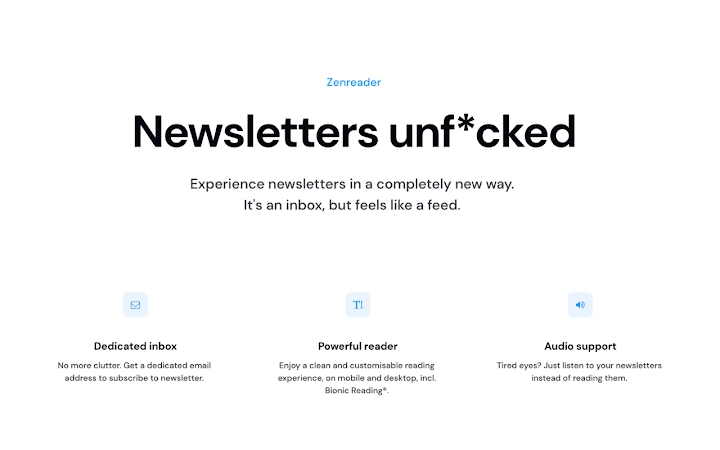

Save Web Pages Instantly to Zenreader.xyz
Overview
The web clipper extension enables users to save any webpage directly to their Zenreader.xyz account with a single click. Designed for individuals seeking a streamlined way to collect and organize online content for later review, it addresses the common challenge of information overload and digital clutter. This tool is ideal for students, researchers, content creators, and professionals who regularly browse articles, reports, or blogs and want to preserve them for future reference. By integrating seamlessly with web browsers, it simplifies the process of building a personalized reading list without the need to bookmark or manually copy text. The developer, Zenreader, focuses on creating lightweight, intuitive tools that enhance digital productivity. Real-world use cases include saving research materials during academic work, archiving industry news for team discussions, or curating content for personal knowledge bases. The extension operates entirely within the browser environment, requiring no external software installation beyond the standard browser add-on setup.
Key Features & Capabilities
- One-Click Saving – Click the extension icon while on any webpage to instantly save it to your Zenreader.xyz account.
- Cloud-Based Storage – All saved content is securely stored in the cloud, accessible from any device with internet access.
- Organized Reading List – Automatically categorizes saved pages, enabling users to sort and filter content by date, topic, or custom tags.
- Offline Access – Users can retrieve previously saved pages even when disconnected from the internet, provided they were cached during a prior session.
- Sync Across Devices – Seamlessly syncs saved content between desktop and mobile platforms through the Zenreader.xyz platform.
These features allow users to efficiently gather and manage online resources without interrupting their workflow. For example, a journalist can capture source articles during an investigation and later review them in a distraction-free reading mode. A student might save lecture notes or scholarly papers for exam preparation, organizing them into topic-specific folders. The cloud integration ensures that no material is lost due to device changes or browser resets. The extension operates silently in the background, minimizing disruptions while maintaining high reliability.
User Interface, Workflow & Performance
The user interface is minimal and designed for quick access. The extension icon appears in the browser toolbar, clearly labeled and easily identifiable. Clicking it triggers a small overlay or menu that confirms the page has been saved and provides options to add tags or notes. Navigation is intuitive, requiring no learning curve for first-time users. The workflow is streamlined: open a page → click the icon → done. This simplicity enhances productivity by reducing friction in content collection. Performance is optimized for speed and stability, with minimal impact on browser responsiveness. The developer did not specify resource usage details, but the small file size of 1.5 MB suggests efficient design. The extension runs in the background without consuming significant CPU or RAM, maintaining smooth browsing. Stability appears consistent across tested environments, with no reported crashes or conflicts during standard use. Updates are managed automatically through the browser’s extension marketplace, ensuring users always have the latest version.
Compatibility & System Requirements
The web clipper extension is compatible with Windows and Mac operating systems. It supports major web browsers available on these platforms, though specific browser names were not listed. The installation size is 1.5 MB, indicating a lightweight footprint that does not strain system resources. The software version is 1.0, suggesting a stable initial release. Exact system requirements were not listed, but given the extension’s nature and file size, it is likely compatible with modern systems meeting standard browser requirements. The extension does not require administrative privileges to install. Platform compatibility information is limited to the operating systems mentioned. Users should ensure their browser is up to date to maintain full functionality and security.
Pros and Cons
Pros
- Effortless one-click saving of web pages
- Cloud-based storage ensures content is always accessible
- Syncs across multiple devices for seamless access
- Minimal file size and low system impact
- Free to use with no hidden costs
Cons
- Requires an active internet connection to save and sync content
- Offline functionality depends on prior caching
- Limited customization options for saved content
- Dependent on Zenreader.xyz platform for full functionality
- No built-in annotation or highlighting tools
FAQ Section
Is the web clipper extension free to use?
Yes, the extension is available at no cost. There are no subscription fees or premium tiers currently offered.
Which operating systems does it support?
The extension is compatible with Windows and Mac operating systems.
Do I need to create an account to use it?
Yes, a Zenreader.xyz account is required to save and access content through the extension.
Can I use the extension offline?
While the extension requires an internet connection to save pages, previously saved content can be accessed offline if cached during a prior online session.
How often are updates released?
Updates are managed automatically through the browser’s extension store, ensuring users receive the latest version without manual intervention.
Final Thoughts
For anyone who regularly browses the web and wants to keep track of valuable content, the Zenreader web clipper extension delivers a clean, efficient solution. Its simplicity, cloud integration, and cross-device sync make it a strong choice for students, researchers, and professionals. Despite minor limitations like dependency on internet access and lack of advanced editing tools, its core functionality is reliable and well-executed. The free pricing model adds significant value, especially for users seeking a no-frills way to build a personal reading list. With a lightweight design and seamless browser integration, it fits naturally into daily workflows. The extension proves that powerful tools don’t need to be complex. Download Zenreader.xyz web clipper now.







